Last updated: July 15, 2026
A. Navigational Items and Multiple-Choice Tests
This section will cover navigational items for the basic multiple-choice tests. These items apply to all tests except Spanish. Spanish navigation is slightly different.
- Accessing the test: Click on the test from your list of tests in the placement testing system.
-
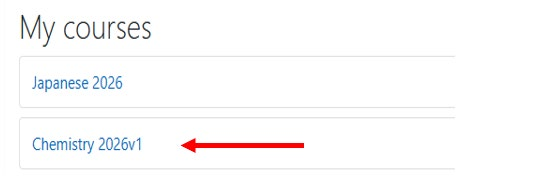
After selecting the test, you will see the test landing page:
-
Click on Chemistry to access the test:
-
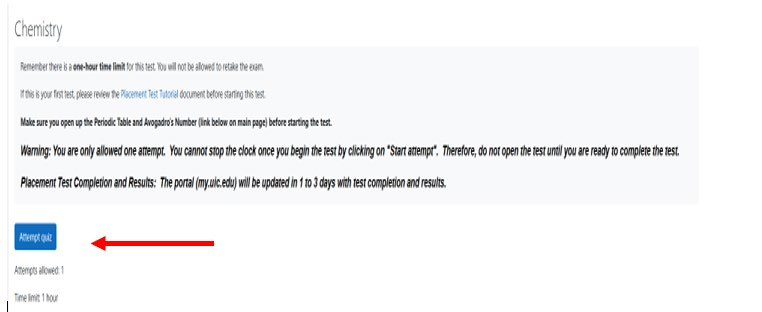
Click on Attempt quiz:
-
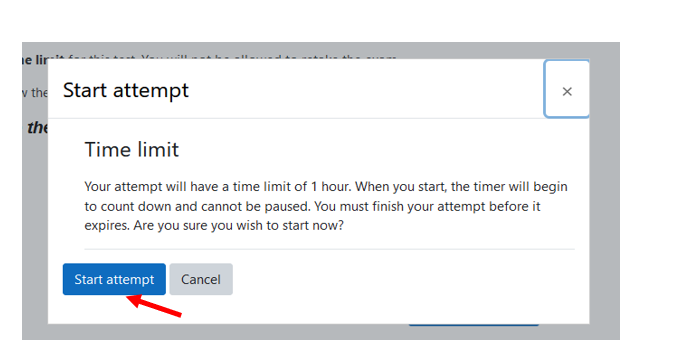
Once you click on Start attempt, you cannot stop the clock. You must complete the test within the allotted time limit. The test will display once the start attempt is clicked.
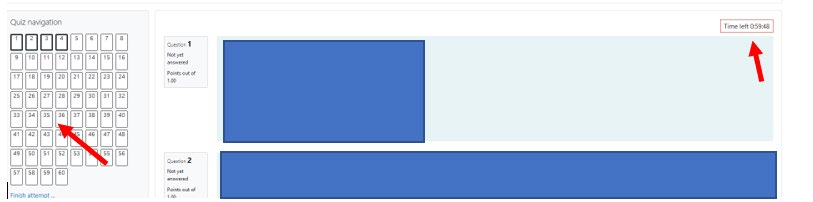
Notes: You can navigate to any question before finishing by clicking on the question number at the left-hand side of the page. The time remaining is in the upper right-hand side of the page.
-
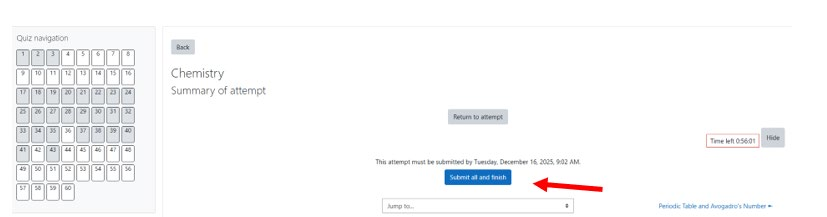
On the last page the finish attempt will show. Click on finish attempt when finished:

-
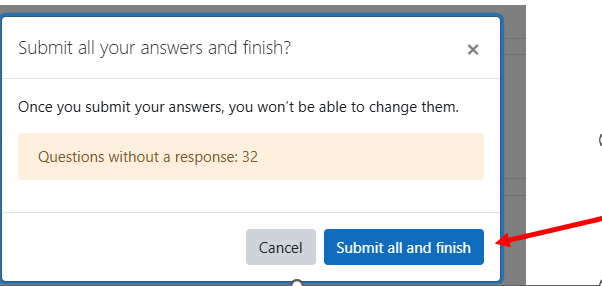
You can go back to a question or click on Submit all and finish submitting the test. You will receive a confirmation checkbox. Note: A white question box denotes an unanswered question.
-
The box will list the number of unanswered questions, if any. Click on Submit all and finish to submit the test.
-
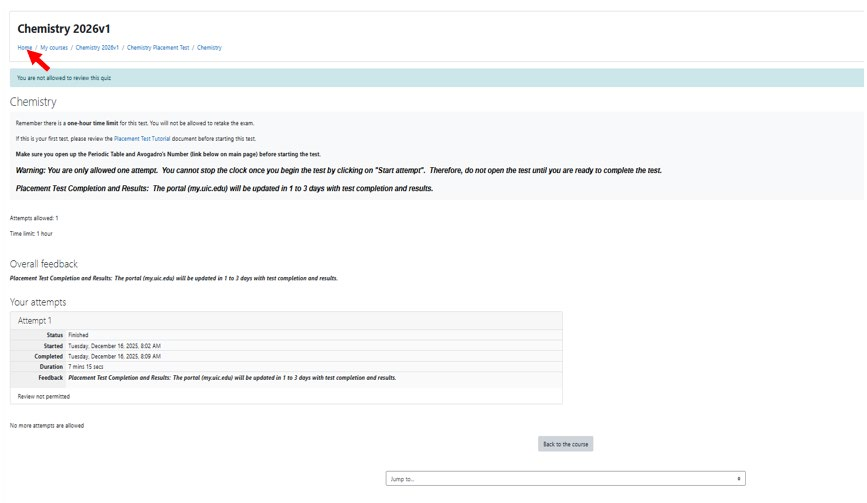
Click on home to go back to the main page.
B. Foreign Language Placement Tests that Require Keyboards
Japanese, Polish, Russian, and Korean require written components and require a keyboard. The keyboard is built into the test. Chinese uses an external keyboard. Spanish may require an essay using a built-in keyboard. All these tests have a preliminary component to make sure your computer can use the built-in keyboard. An example testing process using the Korean Keyboard is below:
-
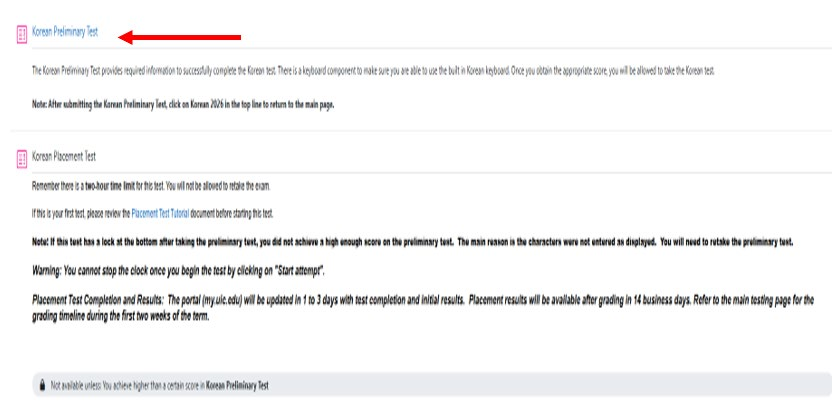
Click on the test:
-
You will not be able to take the test unless you pass the preliminary test. Once you complete and pass the preliminary test, the title of the placement test will become a link. Also, you will no longer see the lock with the “Not available unless: You achieve higher than a certain score in Korean Preliminary Test.” Click on the Preliminary Test.
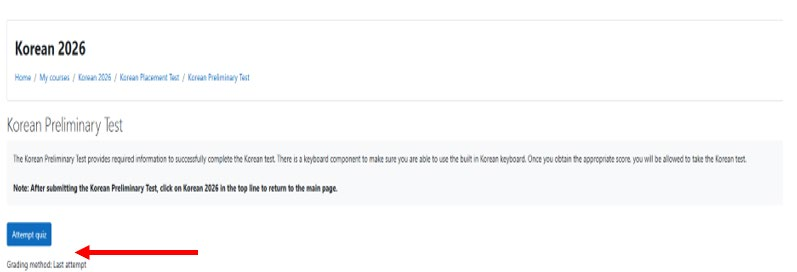
-
Click on Attempt quiz.
Note: There can be some informational items (information mark), questions that require an answer and the actual keyboard.
-
After answering the questions, etc. you will get to the keyboard component:
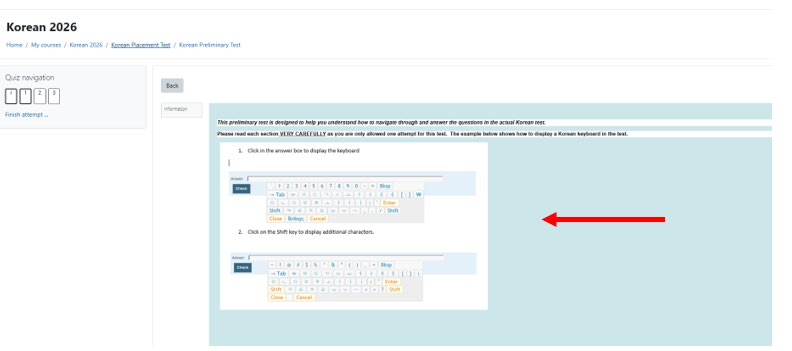
-
You need to click in the answer for the keyboard to appear:

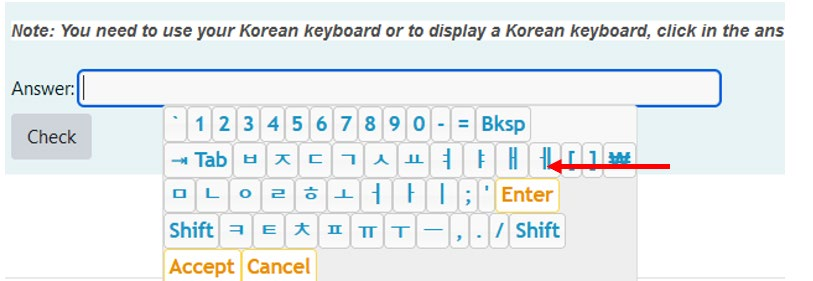
- Select the characters and answer any additional character questions. You can check each answer by clicking on Check. Submit the test when you have finished.
-
Click on Korean 2026 in this case to return to the main test page. You will see feedback about whether you passed the test.
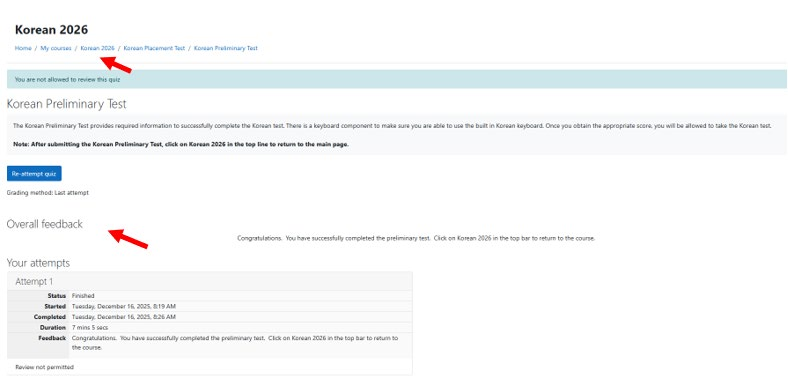
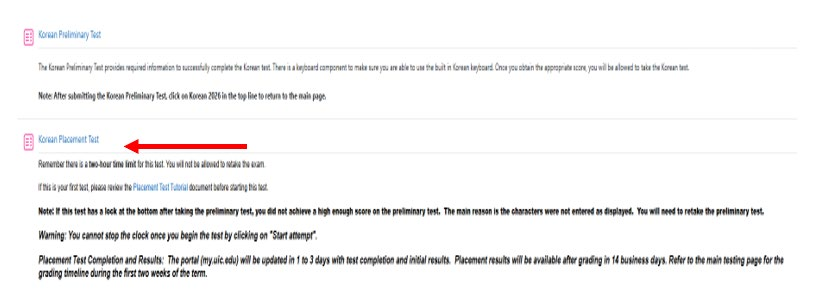
Note: You will see that the placement test heading is no longer black letters. The tests that use the keyboard have fill in the blanks, essays, and sometimes table questions that use the keyboard.
C. Spanish Placement Tests
The Spanish Placement Tests use most of the features listed above. However, there are certain differences in the test from the other tests. The differences will be outlined in this section:
-
Navigation: The Spanish test is an adaptive test. You cannot navigate a specific question in the test. Once you submit a page, you can no longer go back to that page. The navigation bar will not appear in the test. A sample test page is below:
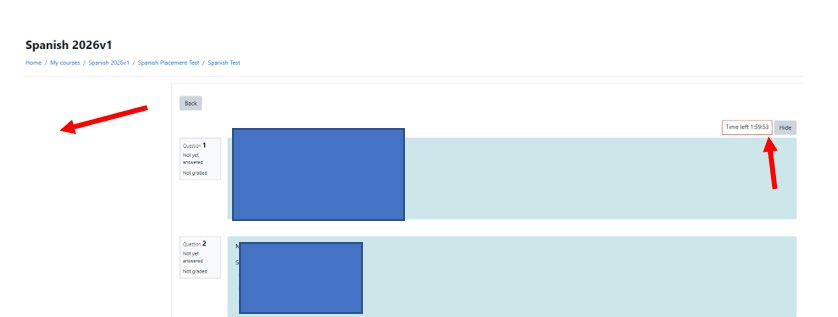
Note: There is no navigation bar on the left. The remaining time is displayed in the upper right-hand corner.
- Skips Questions: The Spanish test is an adaptive test. Based on your previous answers, you will navigate to the next set of questions. Do not worry, there is nothing wrong with the test. The gap in question numbers may be large. Keep answering the questions until you finish the test. You will answer between 39–86 of the 155 questions.
- Essay: Not all students need to answer an essay. The test determines who needs to answer an essay.
D. Chinese Placement Test
The Chinese placement test has a required survey. Based on your answers, you may not have to take the exam. The department reviews the survey. Some key points are:
- Not Required to Take Exam: After answering the survey the last item on the page will be highlighted.
- Required to Take Exam: After answering the survey and going back to the Chinese Test page, the Practice Test for the Chinese Input Tool will be available.
- Tests: There is an option to take the traditional or simplified character test. You need to take one of these tests.
-
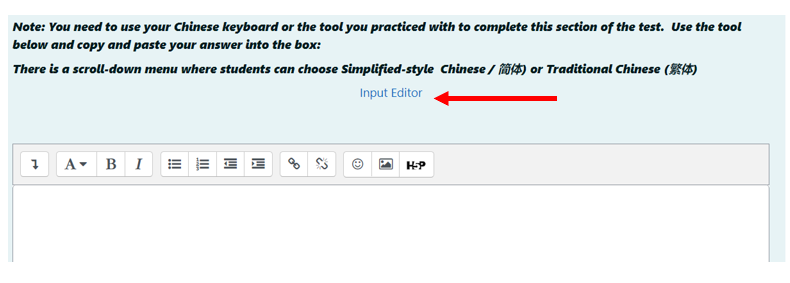
Character Input Tool: The Chinese test uses an external keyboard. An example is:
-
Click on Input Editor to access the tool. Once you complete typing in the text, you can copy and paste it into the space provided.
-
Click on Input Editor to access the tool. Once you complete typing in the text, you can copy and paste it into the space provided.
E. Results
Test results information is located on the placement testing homepage. See the homepage for the most current information. The web page displays the final date to complete tests, and the recommended dates to complete tests, have results and be able to register for the course for the Fall or Spring term.